

List of Labels
Each tracked user on Formo is assigned labels based on their onchain activity and other data.User lifecycle labels
Every wallet is assigned a lifecycle stage based on its recency and active days: New, Returning, Power User, Resurrected, At Risk, or Churned. See User lifecycle for the exact rules and thresholds.Attestations
| Label | Description |
|---|---|
| Sanctioned User | OFAC-sanction status and designations |
| Human Passport Unique Humanity Score | Human Passport score (0-100) |
| Human Passport Aggregate Model Score | Aggregate unique humanity score for EVM wallets (0-100) |
| Coinbase Verified Account | Coinbase verified account attestations |
| Coinbase Verified Country | Coinbase verified country attestations with country code extraction |
| Coinbase One | Coinbase One subscription attestations |
| Binance Verified | Holds a Binance Account Bound Token (BABT), attesting the wallet completed Binance KYC |
Others
| Label | Description |
|---|---|
| Merkl Campaigns | Tracks participation in Merkl incentive campaigns. Formo automatically detects campaign IDs from the Merkl API and stores them as a label on the wallet profile. You can filter users by campaign ID to measure the quality of users acquired through specific Merkl campaigns. |
| ERC-8004 AI Agent | Automatically detects wallets registered as AI agents via the ERC-8004 standard. Formo queries onchain registries across 11+ chains to identify agent wallets and surfaces the agent name, ID, and reputation score on the wallet profile. |
How to use labels for targeting
Wallet labels turn anonymous addresses into actionable user profiles. This guide shows you how to use labels to identify and target specific user types.How labels work
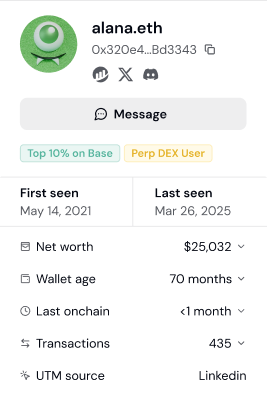
Formo automatically analyzes each wallet’s onchain activity and assigns relevant labels. Labels update as users’ behavior changes. Label sources:- Lifecycle - Engagement stage derived from each wallet’s recency and active days
- Attestations - Verified credentials from Coinbase, Binance, Human Passport, and OFAC sanction lists
- Campaigns - Participation in incentive campaigns such as Merkl
- Onchain registries - Standards such as ERC-8004 that identify AI agent wallets
Step 1: View labels on a user profile
- Go to Users and click any wallet address
- Scroll to the Labels section
- See all labels assigned to this user
Step 2: Filter users by label
Use labels to find specific user types:- Go to Users or Audience Insights
- Click Add Filter
- Select Label as the filter type
- Choose the label(s) you want
| Goal | Label Filter |
|---|---|
| Find power users | Lifecycle = “Power User” |
| Find verified humans | Human Passport Score > 50 |
| Exclude sanctioned wallets | Label != “Sanctioned User” |
| Find Coinbase users | Label = “Coinbase Verified Account” |
Step 3: Combine labels with other filters
Labels become powerful when combined with other criteria: High-value DeFi users:| Filter | Value |
|---|---|
| Apps | Uniswap, Aave (or other DeFi protocols) |
| Net Worth | > $50,000 |
| Lifecycle | Power User |
| Filter | Value |
|---|---|
| Label | Coinbase Verified Account |
| UTM Source | |
| First Seen | Last 30 days |
| Filter | Value |
|---|---|
| Net Worth | > $100,000 |
| Lifecycle | At Risk |
Step 4: Save as a segment
Turn useful label combinations into reusable segments:- Apply your label + other filters
- Click Save as Segment
- Name it descriptively (e.g., “Verified DeFi Whales”)
- Use the segment for analysis, exports, or alerts
Common targeting strategies
Identify your ICP (Ideal Customer Profile):- Look at your best users (highest volume, most active)
- Check which labels they share
- Create a segment with those labels
- Use it to find similar users
- Filter by Label != “Sanctioned User”
- Add Human Passport Score > 20 for sybil resistance
- Export clean lists for marketing or rewards
- Combine multiple positive labels (Power User + Coinbase Verified Account + Human Passport Score > 50)
- Users matching more labels = higher quality
- Prioritize multi-label users for outreach
- Use Apps filter to find users of competitor protocols
- Combine with labels showing high engagement
- Target these users with differentiated messaging
Label-based alerting
Set up alerts based on labels:- Go to Settings > Alerts
- Create an alert for
connectevents - Add condition: Lifecycle = “Power User” AND Net Worth > $100,000
- Get notified when high-value power users connect
Next Steps
User Segments
Save label filters as segments
Audience Insights
Aggregate label distribution
Wallet Segmentation Guide
Complete targeting workflow
Alerts
Alert on labeled users