

Features
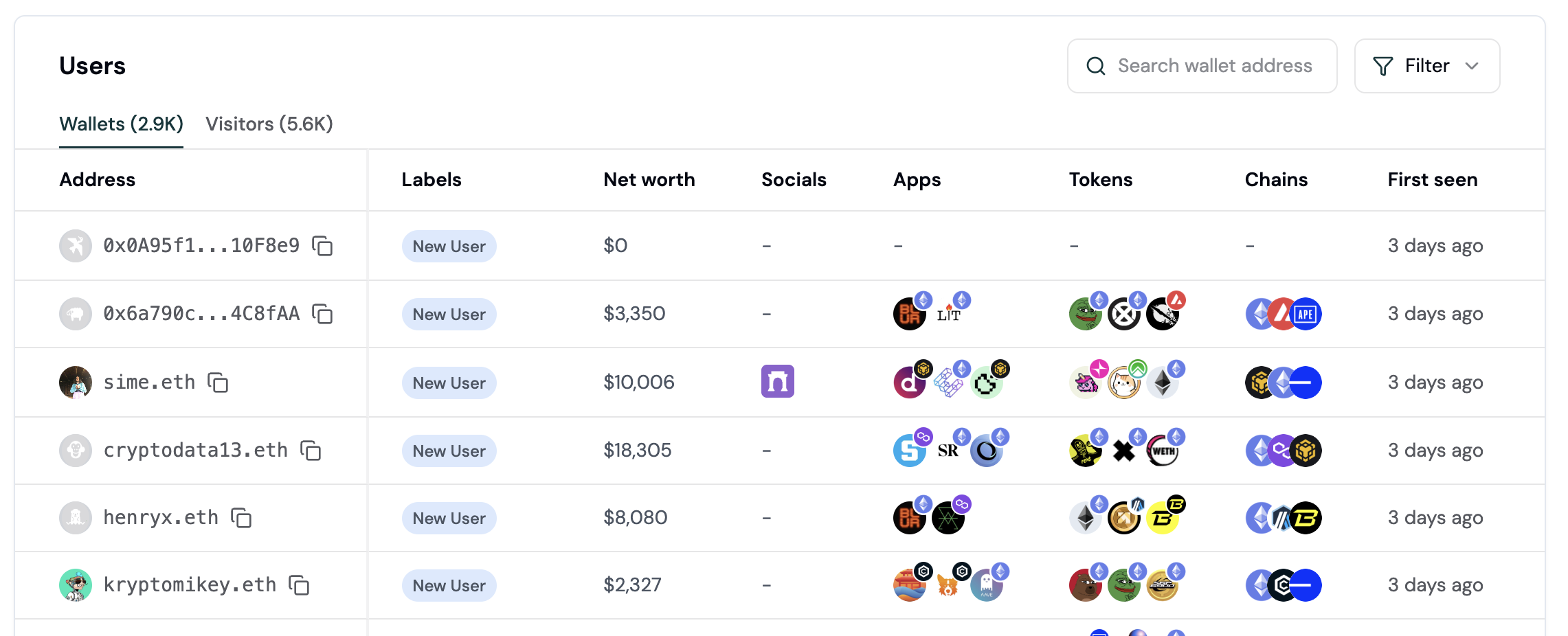
Wallet intelligence helps you understand and target users onchain with crypto-native segmentation:- 🔍 Wallet search. Look up any wallet address to generate a full profile on demand.
- 🕵️♀️ Wallet profiles. Turn pseudonymous wallets into actionable onchain personas.
- 👥 Audience insights. Get comprehensive insights into your audience, including user lifecycle, apps, tokens, chains, revenue, and retention.
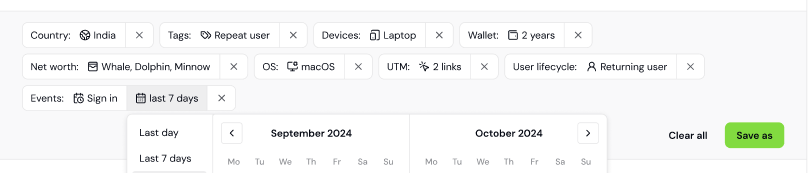
- 🤩 User segments. Use precise targeting on segments based on wallet properties, user lifecycle, and in-app activity.
- 🏷️ Wallet labels. Understand each user’s preferences with autogenerated wallet labels.
How to explore your users
This guide walks you through viewing wallet profiles, understanding your audience, and creating your first user segment.Wallet Intelligence requires the Formo SDK to be installed. Complete the Product Analytics setup first if you haven’t already.
Step 1: View the Users page
- Open the Formo Dashboard
- Select your project from the sidebar
- Click Users in the left navigation
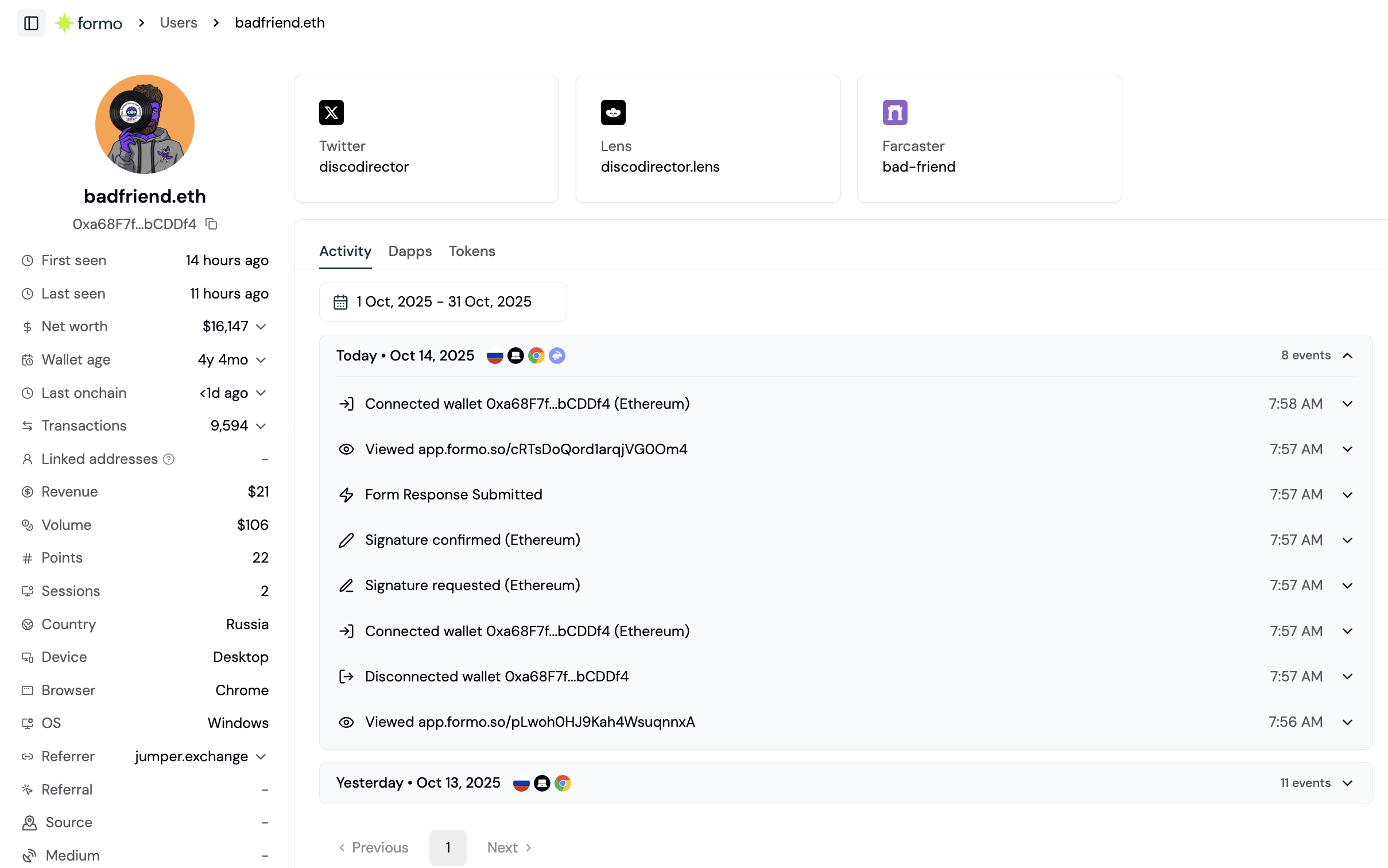
Step 2: Explore a wallet profile
Click on any wallet address to open its full profile. The wallet profile shows:| Section | What you’ll see |
|---|---|
| Activity | Real-time feed of actions on your app with UTM attribution |
| Apps | DeFi applications the wallet uses across chains |
| Tokens | Token balances and holdings across chains |
| Details | ENS name, net worth, lifecycle stage, custom properties, and labels. |
Step 3: Understand lifecycle stages
Formo automatically categorizes users by lifecycle stage based on their activity:| Stage | What it means |
|---|---|
| New | Recent acquisition |
| Returning | Engaged user |
| Power User | Highly engaged |
| Resurrected | Re-engaged after going quiet |
| At Risk | Still active but going quiet |
| Churned | Needs re-engagement |
Step 4: Create your first segment
Segments let you group users by shared characteristics. Here’s how to create one:- Go to Users in the sidebar
- Apply filter conditions. For example:
- Lifecycle = “Power User”
- Net worth > $10,000
- Label = “Coinbase Verified Account”
- Click Save as Segment
- Name your segment (e.g., “High-Value Verified Users”)
- Click Save
Example: Find whales who churned
Here’s a practical segment to identify high-value users at risk:| Filter | Value |
|---|---|
| Lifecycle | Churned |
| Net worth | > $100,000 |
| Last transaction | > 30 days ago |
FAQ
Where does Formo get onchain data for wallet profiles?
Where does Formo get onchain data for wallet profiles?
Formo aggregates onchain data across all major EVM chains to build wallet profiles. This includes token holdings, DeFi positions, wallet age, transaction frequency, and net worth. Data is refreshed periodically to keep profiles current.
How are wallet lifecycle stages calculated?
How are wallet lifecycle stages calculated?
Wallet lifecycle stages (New, Returning, Power User, Resurrected, At Risk, Churned) are calculated based on activity recency and frequency on your app, relative to a reference date that defaults to today. For example, a wallet last seen more than 30 days ago is classified as “Churned,” while a wallet first seen 30+ days ago and active on 5+ of the last 30 days is a “Power User.” Default thresholds can be customized in Settings → Lifecycle. See wallet profiles for details.
Can I export wallet profiles and segments for marketing campaigns?
Can I export wallet profiles and segments for marketing campaigns?
Yes. You can export any segment as a CSV file for use in targeted re-engagement campaigns. You can also query profiles programmatically via the Profiles API.
Does Formo link multiple wallets belonging to the same user?
Does Formo link multiple wallets belonging to the same user?
Formo tracks each wallet address as a separate profile. If a user connects multiple wallets in the same session, those events are linked to the same anonymous visitor. You can also use formo.identify() to associate wallets with a common user ID.
Next Steps
Audience Insights
Get aggregate analytics on your entire user base
Wallet Labels
Understand auto-generated behavioral labels
User Segments
Create segments based on wallet properties and behavior
Profiles API
Query wallet profiles programmatically