

Overview
Formo supports OAuth for remote MCP clients that can discover and complete an OAuth authorization flow.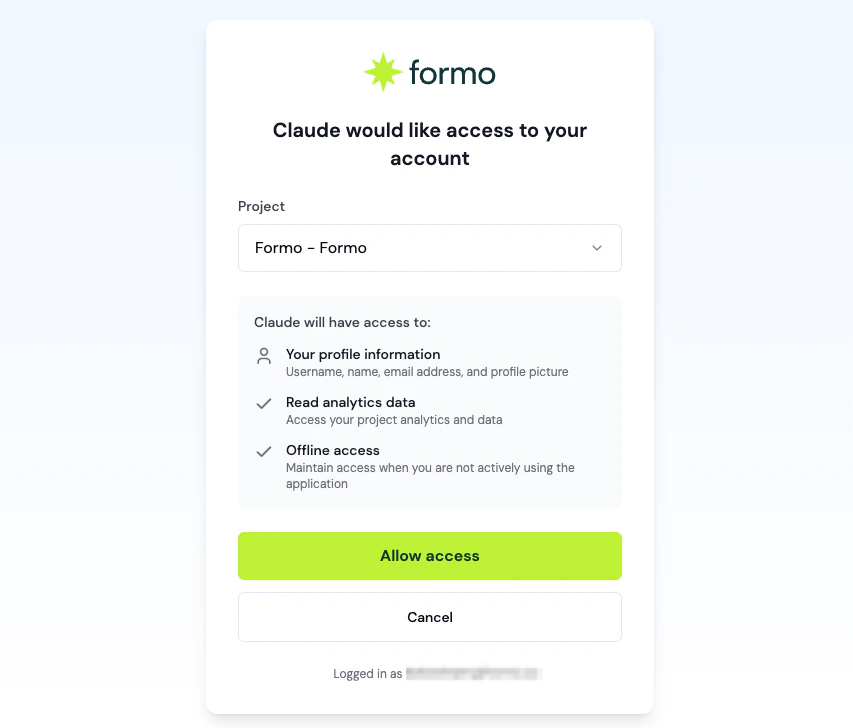
Always configure the MCP endpoint as
/v0/mcp/ with the trailing slash. Do not use https://api.formo.so/ as the MCP server URL.MCP requires a Scale or Enterprise plan. The plan is enforced during the OAuth flow: Free and Growth workspaces cannot complete authorization and receive a
403 error. Upgrade your workspace to enable MCP access.When to use OAuth
Use OAuth when the MCP client manages authentication for users. The setup examples below cover common hosted web clients.Setup
Select your web client below to configure Formo with OAuth authentication.- Claude.ai
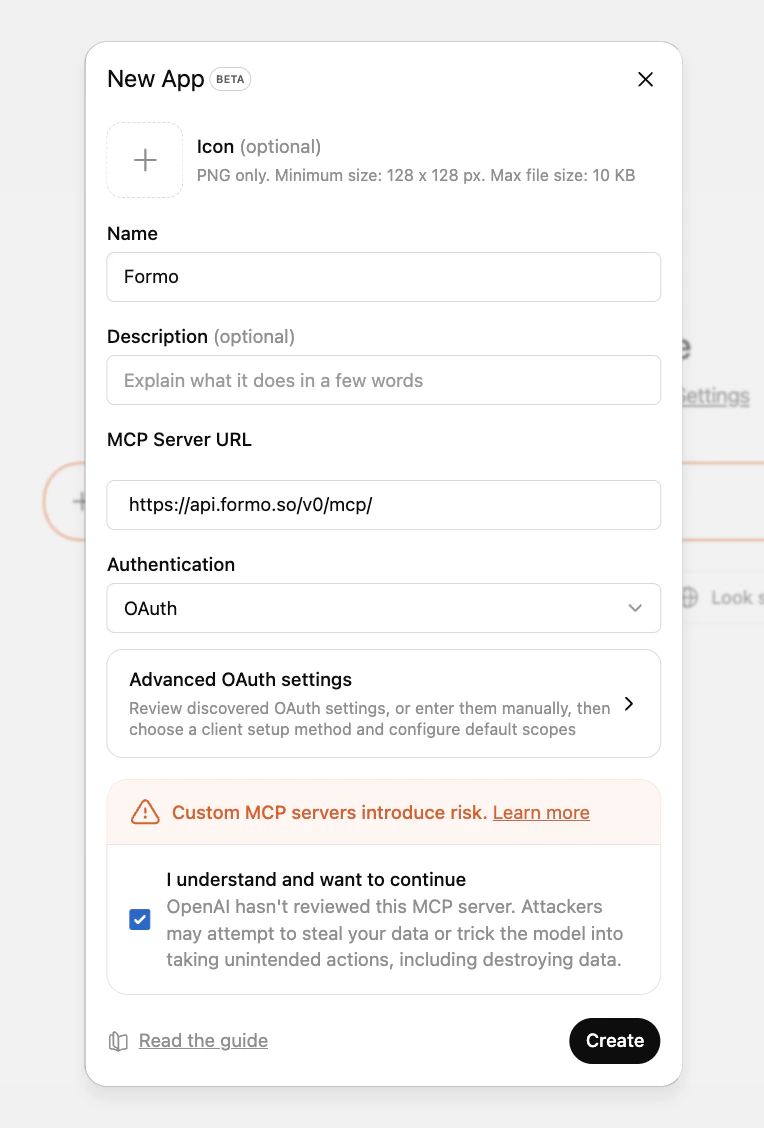
- ChatGPT
- Other clients
- Open Customize → Connectors
- Add a custom connector
-
Enter the connector details:
Name
Server URL
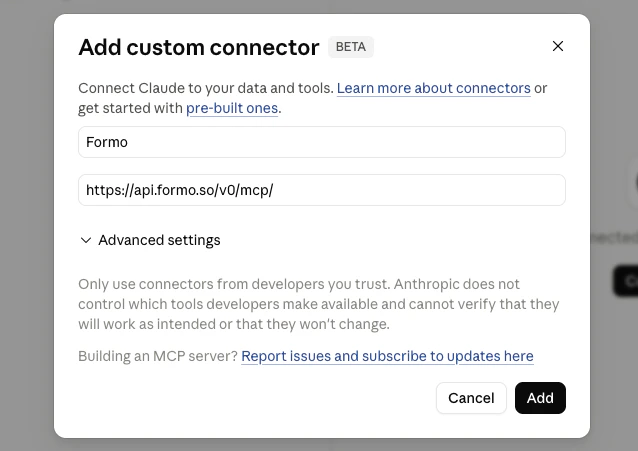
- Click Add
- On the Formo confirmation page, select the project Claude.ai should access
- Click Allow access
- Return to Claude.ai and confirm Formo appears with the available tools
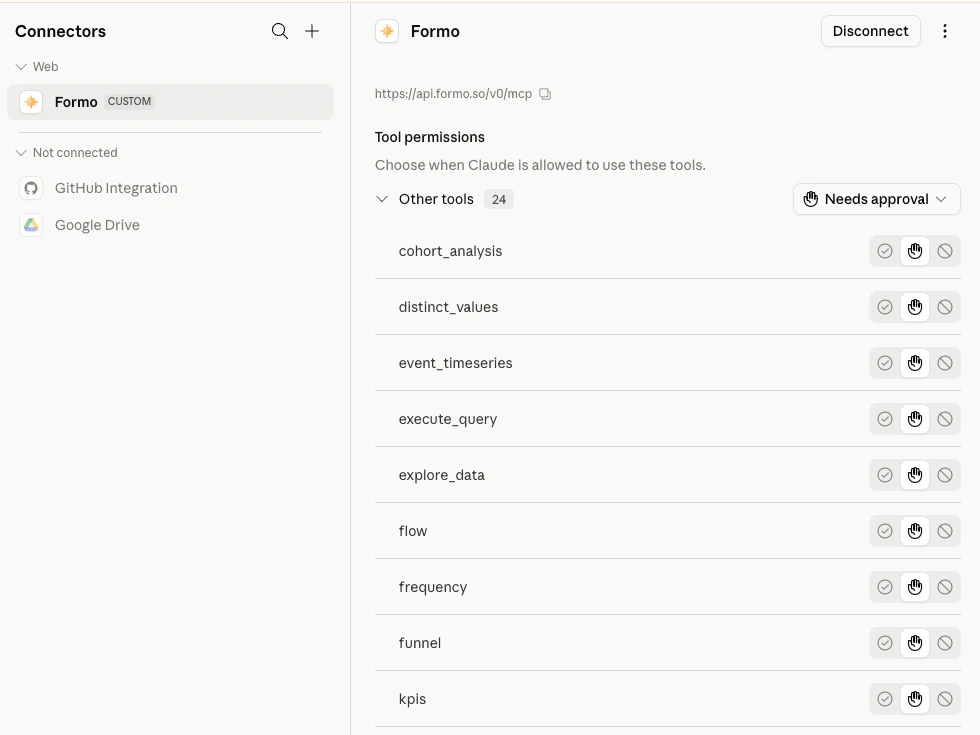
Claude.ai stores and refreshes the OAuth connection for the signed-in user. In managed workspaces, an owner or admin may need to add the remote MCP server before members can connect it individually.
Example queries
Try prompts you can ask once Formo is connected.
Scopes
Formo MCP OAuth supports only these scopes:| Scope | Description |
|---|---|
mcp:read | Read-only MCP access to the selected Formo project |
offline_access | Allows the MCP client to refresh access without asking the user to sign in again |
mcp:tools or mcp:resources scopes. Tool permission decisions are handled by the MCP client.
OAuth access is bound to the project selected on the Formo consent page. The MCP server validates that the user still has access to that project before serving requests.
Advanced details
Most OAuth-capable MCP clients discover Formo’s OAuth configuration automatically from the MCP server URL:401 with a WWW-Authenticate challenge that points clients to Formo’s protected resource metadata. Access tokens expire after 1 hour; clients that request offline_access can refresh access without asking the user to sign in again.
OAuth metadata URLs
OAuth metadata URLs
| Metadata | URL |
|---|---|
| Protected resource metadata | https://api.formo.so/.well-known/oauth-protected-resource/v0/mcp |
| Authorization server metadata | https://api.formo.so/v0/mcp/oauth/.well-known/oauth-authorization-server |
| OpenID configuration alias | https://api.formo.so/v0/mcp/oauth/.well-known/openid-configuration |
openid-configuration path is an alias that returns the same OAuth authorization-server metadata for clients that look there. Formo MCP is OAuth 2.0 only and does not implement full OpenID Connect.API key compatibility
OAuth and API key authentication both use the same MCP endpoint:Authorization: Bearer <oauth_access_token>Authorization: Bearer <workspace_api_key>
mcp-remote configurations do not need to change. For setup instructions, see MCP API Key.
Use a Workspace API Key when your MCP client supports custom request headers and you want to manage credentials yourself, such as local developer tools, CLI bridges, and editor integrations.
Troubleshooting
403 MCP access requires a Scale or Enterprise plan: The signed-in workspace is on a Free or Growth plan. MCP authorization is gated server-side, so the OAuth flow will not complete. Upgrade the workspace to a Scale or Enterprise plan, then reconnect.
Client does not start OAuth: Confirm the MCP server URL is exactly https://api.formo.so/v0/mcp/ and includes the trailing slash.
Invalid scope: Request only mcp:read and, when refresh is needed, offline_access.
Consent page asks you to sign in again: Sign in to Formo and you will be returned to the same OAuth authorization flow.
No projects are available: The signed-in Formo account must belong to at least one team with a project.
Project access denied after connecting: Reconnect and choose a project that your Formo user can still access.
API key stopped working: OAuth does not replace API keys. Check that the key has MCP scope, has not been revoked, and is sent as Authorization: Bearer <workspace_api_key>.