

Overview
Use Workspace API Key authentication for MCP clients that let you configure custom HTTP headers, local editor integrations, or stdio bridges such asmcp-remote.
OAuth is also available for MCP clients that manage user sign-in. See MCP OAuth.
The MCP endpoint is:
Keep the trailing slash in
/v0/mcp/. Do not use https://api.formo.so/ as the MCP server URL.MCP requires a Scale or Enterprise plan. Connections from Free or Growth workspaces are rejected with a
403 error, even with a valid API key. Upgrade your workspace to enable MCP access.Create an API key
- Go to your Formo workspace settings
- Navigate to Settings → API Keys
- Click Create API Key
- Enable the MCP scope
- Copy the generated key
Setup
Select your client below to configure Formo with API key authentication.- Claude Desktop
- Cursor
- Claude Code
- Windsurf
- VS Code
- Codex
- mcp-remote / CLI
- Other clients
- On Claude Desktop, go to Settings > Developer > Edit Config
- This opens the Claude Desktop config file:
- macOS:
~/Library/Application Support/Claude/claude_desktop_config.json - Windows:
%APPDATA%\Claude\claude_desktop_config.json
- macOS:
- Add the following configuration:
- Restart Claude Desktop for the changes to take effect.
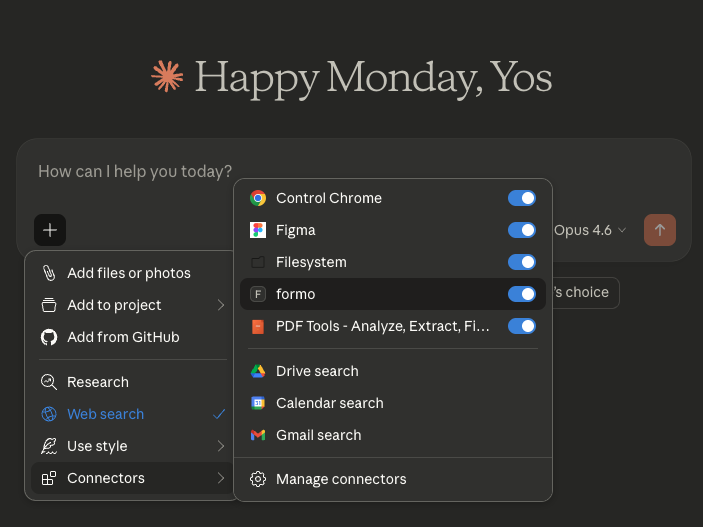
- Upon successful restart, click the + icon on a new chat screen to enable Formo.
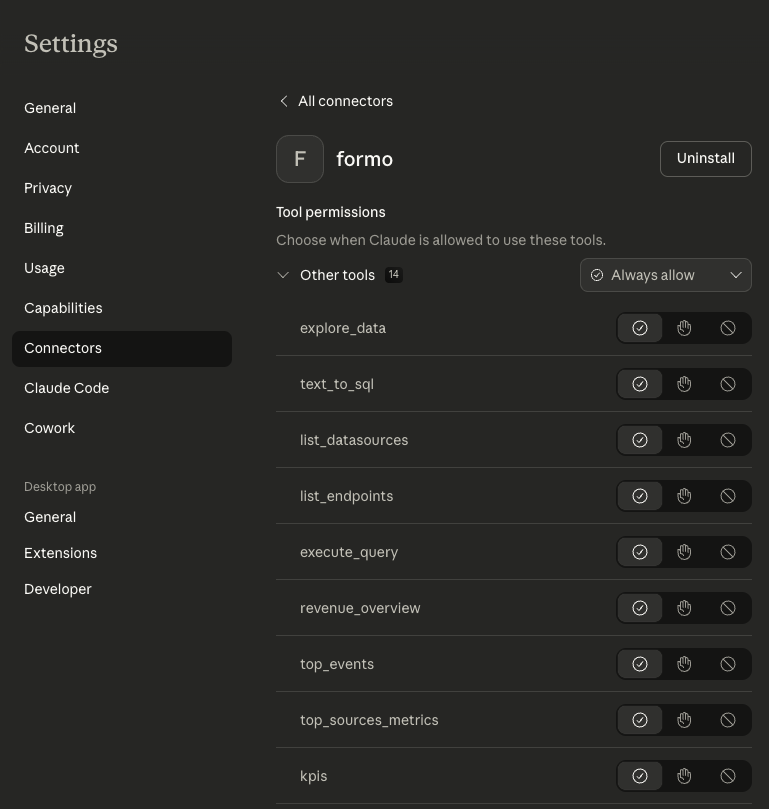
- You can go to the Connectors settings to configure the Formo connector permissions to Always Allow.
Example queries
Try prompts you can ask once Formo is connected.
Troubleshooting
403 MCP access requires a Scale or Enterprise plan: MCP is available only on Scale and Enterprise plans. A valid API key with the MCP scope is not sufficient on Free or Growth workspaces. Upgrade your workspace to connect MCP.
Tools not appearing: Verify your API key has the MCP scope enabled. Check that the URL ends with a trailing slash: https://api.formo.so/v0/mcp/. Restart your AI assistant after configuration changes.
Authentication errors: Ensure the API key is sent as Authorization: Bearer YOUR_API_KEY. Check that the API key has not been revoked.
Wrong project data: Workspace API keys are project-specific. Create or use a key attached to the project you want the MCP client to query.
Claude Desktop not connecting: Ensure Node.js is installed and accessible from the command line. Check Claude Desktop logs: ~/Library/Logs/Claude/ on macOS.