


When to use Live View
Live View is great for:- Launch day monitoring - Watch users discover your app in real-time
- Campaign monitoring - See traffic spikes as campaigns go live
- Demo dashboards - Impress stakeholders with real-time activity
- Incident response - Quickly spot unusual patterns or errors
How to use Live View
Step 1: Open Live View
- Go to the Formo Dashboard
- Select your project
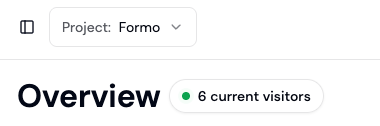
- Click Overview in the left navigation
- Click Current Visitors to open Live View
Step 2: Monitor activity
Events stream in real-time on an interactive globe:- Dots represent user locations
- Event cards show recent activity
- Click any event to see full details
- Click a user to open their wallet profile
Step 3: Use for presentations
Live View is perfect for team dashboards and presentations:- Open Live View in a browser tab
- Expand to fullscreen mode
- Display on a team monitor or during demos
Next steps
Activity Feed
View and filter all events
Wallet Profiles
Drill into individual users
Alerts
Get notified of important events
Chartbuilder
Build custom monitoring dashboards