

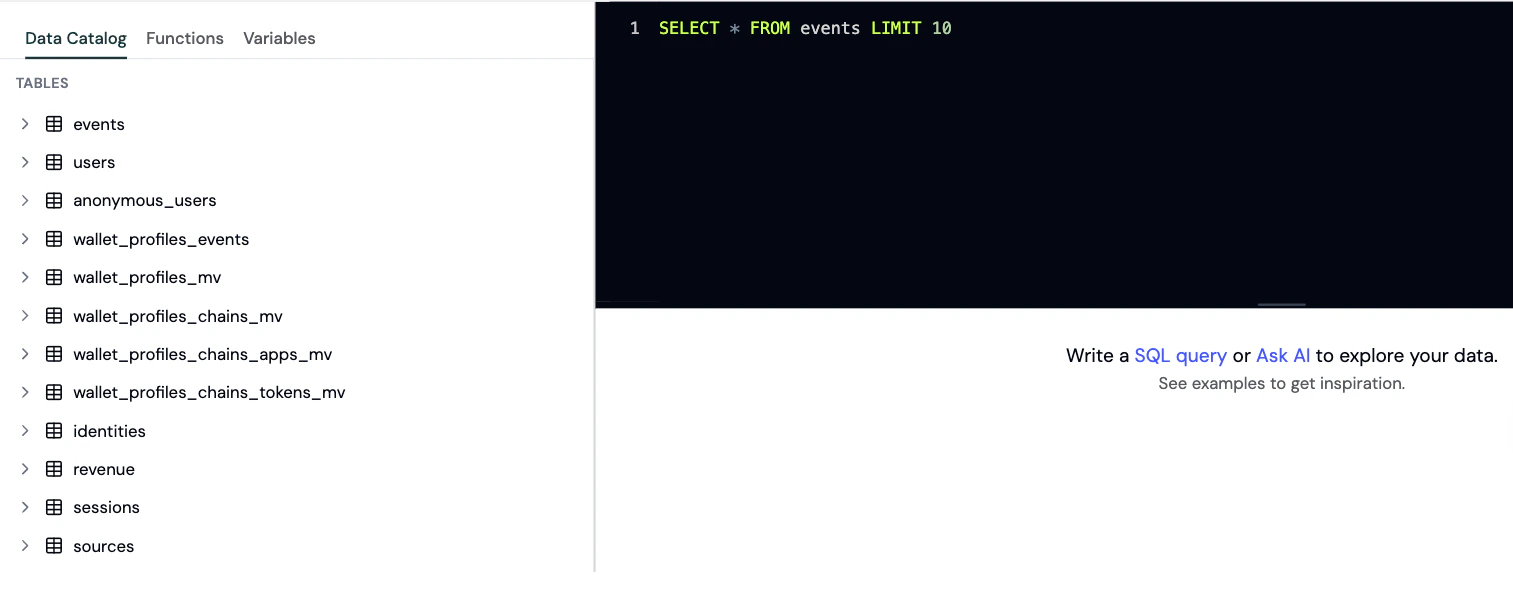
When to use the Explorer
Use the Explorer when you need:- Ad-hoc analysis for specific questions
- Custom calculations that aren’t available in standard dashboards
- Complex joins across multiple data types
- Testing queries for custom charts and dashboards
- Data validation to verify metrics
Running queries
Step 1: Open the Explorer
- Go to the Formo Dashboard
- Select your project
- Click Explorer in the left navigation
Step 2: Write your query
Enter your SQL query in the editor. Formo uses ClickHouse SQL syntax. Example: Daily active walletsStep 3: Run and visualize
- Click Run to execute your query
- View results in the table below
- Optionally, switch to chart view to visualize the data
Step 4: Export or save as a chart
- Export as CSV: Click Export to download your query results as a CSV file for offline analysis, reporting, or importing into other tools.
- Save as a custom chart: Turn any query into a reusable visualization on your Dashboards page - choose from line, bar, pie, table, and more.
Available tables
See the Data Catalog for full column definitions, query patterns, and example queries for each table.| Table | Description |
|---|---|
events | All user interaction events (page views, wallet events, custom events, contract events) |
users | Aggregated wallet user profiles identified by address, with attribution and engagement metrics |
anonymous_users | Profiles for users who haven’t connected a wallet yet, identified by anonymous_id |
identities | Identity graph linking anonymous user IDs to wallet addresses and user IDs |
revenue | Financial metrics and revenue with full attribution context |
sessions | Aggregated user session data with engagement metrics and attribution |
sources | Daily aggregated traffic source metrics and attribution data |
wallet_profiles_mv | Comprehensive global wallet profile data aggregated across all chains |
wallet_profiles_chains_mv | Wallet profile data broken down by individual blockchain networks |
wallet_profiles_chains_apps_mv | Wallet DeFi application usage data broken down by blockchain |
wallet_profiles_chains_tokens_mv | Wallet token holdings data broken down by blockchain |
wallet_profiles_events | Timestamped wallet profiling events from external offchain and onchain analysis |
Best practices
- Use
LIMITto control result size. Default is 1,000 rows; maximum is 1,000,000 rows - Use date filters to improve query performance
- Reference the Event Spec for available event properties
- Use Ask Formo to help write and fix queries
Saving queries
After writing a useful query, save it as a chart on your custom dashboard:- On the Dashboards page, select an existing board or create a new one
- Add a new chart by clicking Add Chart
- Paste your query into the SQL editor and run it
- Choose a visualization type (line, bar, table, etc.)
Next steps
Chartbuilder
Save queries as custom charts
Event Spec
Understand available event properties
AI Assistant
Let AI help write queries
Data Catalog
Full data warehouse catalog